
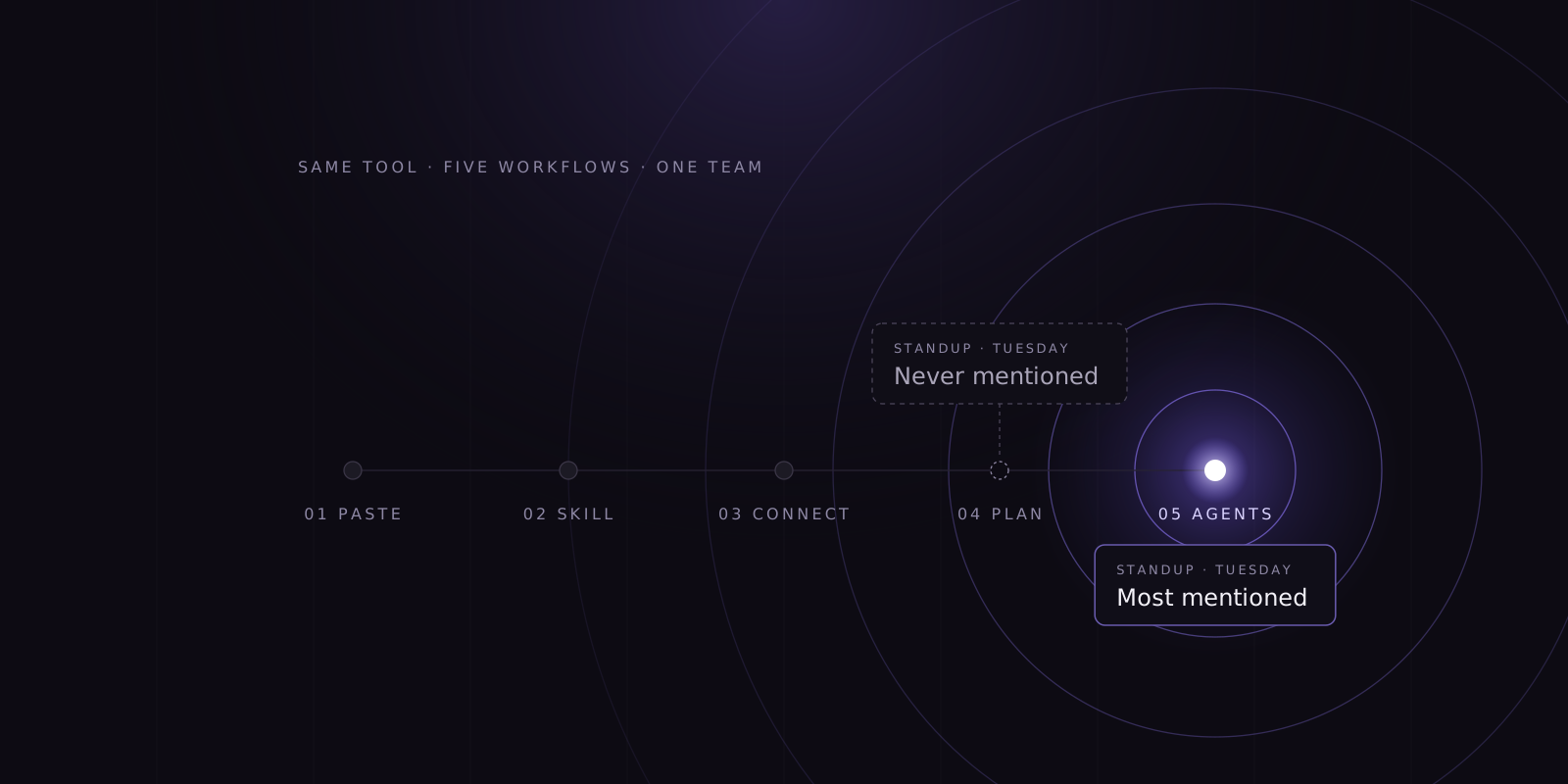
Six months after the rollout, everyone on your team uses the same AI coding tool. Almost nobody uses it the same way. You can see the results. Tickets close, pull requests arrive, the invoice arrives.
What you can’t see is which way of working actually holds up:
- Whose setup should everyone else be using?
- Which workflow gets to a merged change with the fewest retries?
- Is the approach that spread last month better, or was it just described better?
That choice is being made anyway. Mostly at standup.
The risk is concrete. A team can end up scaling the workflow that costs more, needs more retries, and puts more load on code review than the alternatives it never compared, and the further it spreads, the harder it is to undo.
One tool, five ways of working
What follows is a composite, not a case study. But any team that has had an AI coding tool for a few months will recognize most of it.
The context paster copies files, stack traces, and Slack threads into every new session by hand. Every session starts from zero.
The skill author has written skills for code style and review. They work well, and they live in a personal folder. Claude Code separates personal skills in ~/.claude/skills/ from project skills shared with the team through git. Unless the author thinks to move them, nobody else gets them.
The connector has wired MCP servers into Jira and the staging database. Their sessions start with the context the paster spends ten minutes assembling.
The planner spends most of a session getting the implementation plan right before any code is written. From the outside, it looks slow.
The orchestrator runs several agents in parallel and rerolls until the tests pass. The result shows up at standup. The cost and the review load show up later, somewhere else.
Which one should be the standard? Probably it depends on the type of work. The planner may win on refactoring, the connector on bug triage, the orchestrator on throwaway prototypes.
That’s a question about task type, cost, and rework. It can’t be settled by whoever is most convincing on a Tuesday morning.
Practice spreads by standup, not by quality
The way an engineer works with an AI tool happens inside a private session. Git records the commit. Jira records the state change. Neither records how the result was reached.
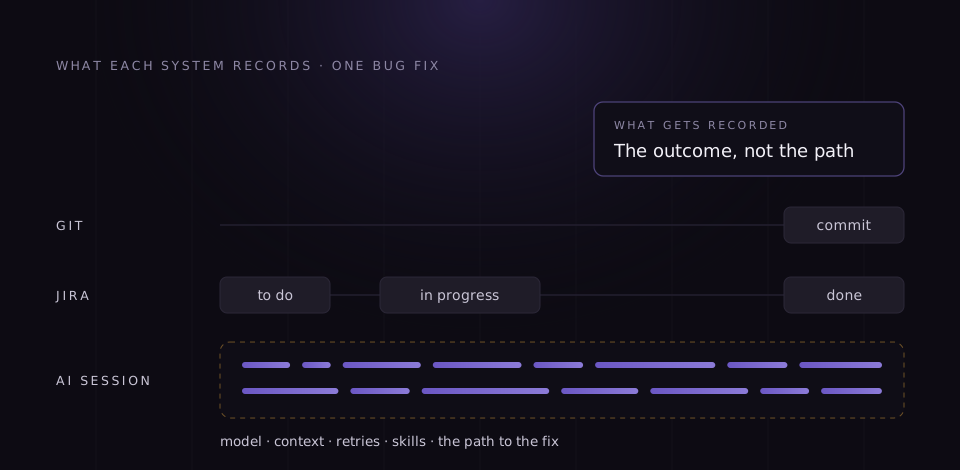
With no record of practice, only one channel carries it from person to person: conversation.
And conversation has a bias. It favors what’s new and easy to describe. The orchestrator’s overnight feature is a great story. The planner’s quiet week of clean merges isn’t a story at all.
The quieter channel is thinning too. In Anthropic’s study of its own engineers, Claude has become the first stop for questions that used to go to colleagues, and some report fewer mentorship and collaboration opportunities as a result. Fewer questions to colleagues means fewer good habits passed along without anyone announcing them.
Most leadership teams are deciding on equally thin evidence. In LeadDev’s AI Impact Report 2026, 26% of engineering leaders report major productivity gains, while only 31% measure them. 68% name the lack of clear metrics as their top AI challenge.
So the standard on most teams isn’t chosen. It’s whatever was described most recently, by whoever describes things best.
This is a visibility problem, not a training problem
The usual response is training. Run a session, share best practices, and record it for whoever missed it. Training distributes practice. It doesn’t select one.
If the selection happened at standup, training scales the loudest pattern across the team, faster and more thoroughly than the standup ever could.
DORA’s 2025 research describes AI as an amplifier: success depends more on culture and capabilities than on the tools themselves. Training works the same way. It amplifies whatever you decided to teach.
DORA also found that a clear and communicated AI stance, covering expectations, room to experiment, and which tools are permitted, amplifies AI’s benefits. A stance about tools is easy to write. A stance about practice isn’t, because you can’t be clear about a way of working you have never seen.
Usage volume is no substitute either. 58% of leaders in LeadDev’s survey say token usage metrics are ineffective. The heaviest user is just the loudest voice, measured in a different unit.
What the telemetry gives you, and what it doesn’t
Modern AI coding tools emit telemetry. For Claude Code it’s documented in detail. But not every question in this post can be answered from it alone. It helps to sort the numbers into three kinds.
| Kind of number | What it covers | What it takes |
|---|---|---|
| 1. Collected directly | Cost and tokens by model, active skill, and MCP server; skill activations and where each skill came from; MCP connections; failed requests and retry attempts; accepted and rejected edits; active time; commits and pull requests created in the session | Switching the telemetry export on |
| 2. Calculated from telemetry | Cost per session; which skills get used and which stopped; personal versus shared skills; retry and edit-rejection rates; how session cost spreads across a team | Aggregation over a few weeks of sessions, with no other system involved |
| 3. Needs context from other systems | Type of work; cost per merged change or finished ticket; time a task waits between sessions; quality and rework | Your Git hosting (was the pull request merged or reverted), your ticket system (type, status history), and a convention linking the two to sessions |
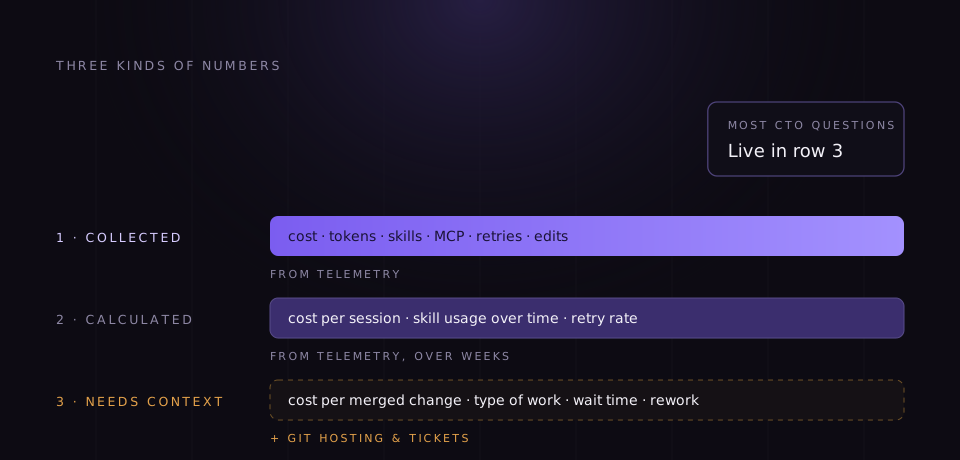
The questions a CTO cares about most, such as which pattern gets a bug fix merged at the lowest cost, sit in the third row. That isn’t a reason to skip them. It’s a reason to know what each number rests on before you defend it in a meeting.
Be precise about what this means for privacy, because your security team will be. This telemetry is attributed to people: every metric and event carries the account ID and, when available, the user’s email. Prompt text and tool inputs are redacted by default, but defaults are something an administrator can change. And the real names of custom MCP servers, third-party plugins, and user-defined skills on skill events appear only when detailed tool logging is on, a setting that also records commands and tool inputs.
So “practice, not people” isn’t something the telemetry guarantees on its own. It’s a decision about what gets collected and who sees what, and it has to be made deliberately.
Two more limits. Quality is the hardest of the context metrics: telemetry shows how the work was done and what it cost, while whether the result was good still comes from review, reverts, and incidents. And any comparison needs a few weeks of sessions for each type of work.
How to choose a standard on evidence
- Take inventory first. List the skills, MCP connections, and plugins in use, and note which live on only one machine.
- Link sessions to work. Agree one convention that ties branches or pull requests to tickets, and make sure tickets carry a type. Without it, “type of work” and “cost per merged change” can’t be calculated.
- Compare patterns, not people. Group sessions by type of work and look at cost per merged change, retries, and how long tasks wait. The question is which way of working holds up on refactoring tickets, not who the best engineer is.
- Then talk to the quiet ones. The data tells you which pattern stands out. The engineer behind it tells you why.
- Test whether it scales before you standardise. Move the skill into the project’s
.claude/skills/folder or package it as a plugin, which is how Claude Code recommends sharing skills across a team. Then have a few more engineers use it on the same kind of work and compare again. - Say what’s standard and what’s still an experiment.
- Measure again once it’s the default. If the shared skill isn’t being invoked and cost per session hasn’t moved, the standard exists only on paper.
A worked example: two ways to fix a bug
An illustration, not a customer story.
A team of twelve handles a steady stream of small production bugs. Over a few weeks, two ways of working on bug-fix tickets stand out. Most engineers paste the stack trace and iterate until the fix works. Two use a personal skill one of them wrote: reproduce the bug in a failing test first, then fix it.
The CTO compares the two approaches on three things:
- Cost per merged fix: what the sessions behind each fix cost, from telemetry matched to merged pull requests.
- Retries: how often a session went back round the same problem, straight from the telemetry.
- What happened in review: how many review rounds each fix needed and whether any were reverted, from the Git hosting.
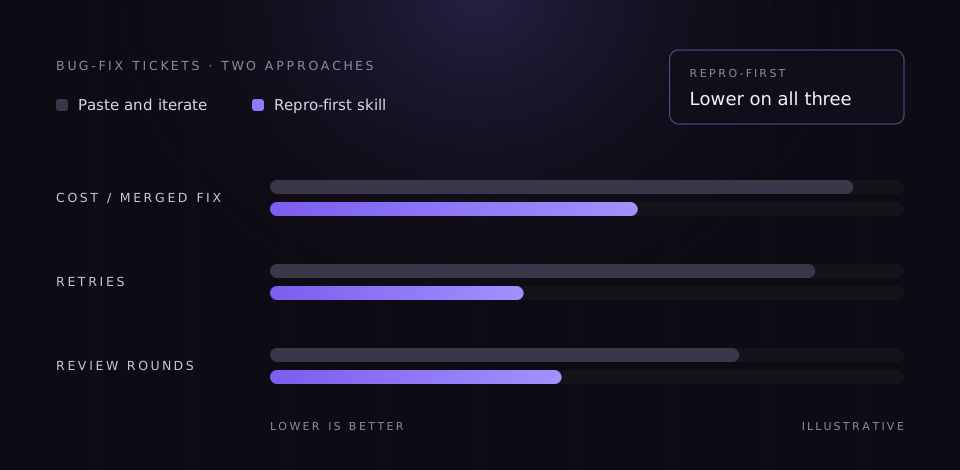
Suppose the repro-first fixes come out cheaper, with fewer retries and fewer review rounds. That is still a pattern from two engineers on one service. So before making it the standard, the team checks whether it scales. The skill moves into the project’s .claude/skills/ folder, three more engineers use it on bug-fix tickets for two weeks, and the same three measures are compared again.
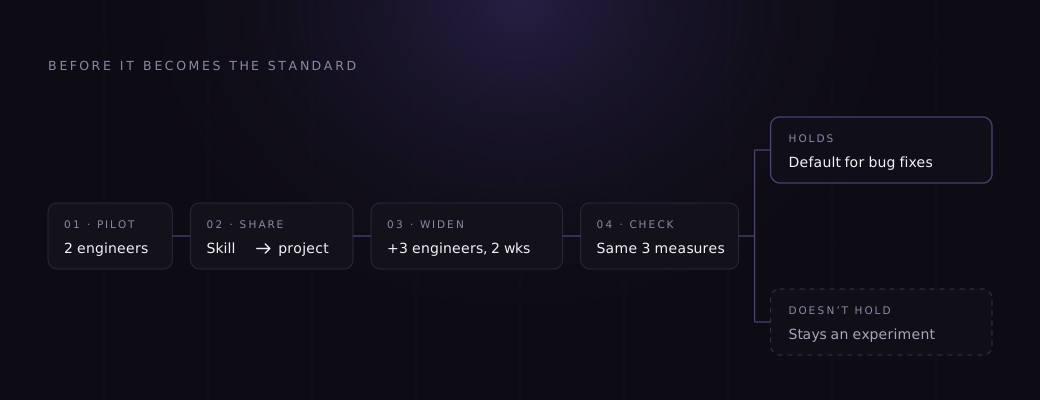
If the results hold, the skill becomes the default starting point for bug fixes. If they don’t, it stays an experiment, and the team has learned that for the price of a few weeks.
The comparison needed two things beyond telemetry. Bug-fix tickets carried a label, and branch names carried the ticket’s ID, so sessions could be matched to tickets and to the pull requests that were merged.
Notice what the decision didn’t need. Nobody was ranked, and nobody’s request count was compared with anyone else’s. The engineer with the most sessions that month may simply have had the hardest tickets. The one with the fewest may be the one whose skill everyone now uses. A ranking by activity would have pointed at the wrong person twice.
Where Beezi Analytics fits
Beezi Analytics reads the telemetry your AI coding tools already produce. For Claude Code, setup is a single plugin, with no migration and no process change. For a CTO looking at five ways of working, it does three things.
- See which AI practices your team actually uses. Which skills exist and whether they are personal or shared, which get used and which quietly died, and which MCP servers are connected.
- Understand what they cost and where retries pile up. Cost per session, broken down by model, skill, and connection, and the sessions that keep going round the same problem.
- Decide what to spread and what to keep as an experiment. Compare ways of working on the same type of task, test a pattern on more of the team, and check whether it held.
The first two work from the telemetry alone. The third needs your Git hosting and ticket system, because comparisons by type of work and cost per merged change depend on them.
What it won’t do: make the team faster on its own, judge whether the work was worth doing, or compare you with other companies. It shows which way of working is worth scaling, and it needs a few weeks of history to show it.
We built it because we needed it. Beezi grew out of Honeycomb Software, a software services company that wanted to know which of its own engineers’ AI habits deserved to become everyone’s.
Who sees what
The same data has two readers, and role-based access decides who sees what.
| The developer, in AI Coach | Management, in the team view | |
|---|---|---|
| Scope | Their own sessions | Teams, projects, and types of work |
| What it shows | What each of their sessions cost, how it ran, where the retries went, which skills and connections they used | Spend and allocation, adoption, which practices exist across the team and which get used, where work waits (with the ticket system connected) |
| Advice | Suggestions on their own way of working, addressed to them | Analysis of patterns and spend, with suggested next steps |
| What it is for | Getting better at working with the tool | Choosing standards, budgeting, removing friction |
| What it is not | A score, or a report that goes to a manager | A productivity ranking of engineers |
We won’t pretend the line is absolute. Some management questions are about individuals by nature: who keeps hitting rate limits and waiting for a reset, or whether adoption after training is broad or rests on three people. Answering them needs per-person data, such as sessions per week or rate-limit hits.
Your security team will also ask what sits underneath: what Beezi collects, where it is stored, who can access it, and for how long. For organisations whose policies don’t allow this data to leave their environment, the Custom tier runs inside your own infrastructure.
This is the line between measuring how work gets done and measuring people’s activity to grade them. The data looks similar. The questions are different, and only one of them gets a team to share its best skill.